Introduction
True Value: Wishlist Email helps Shopify stores turn saved product intent into revenue with wishlist email marketing, personalized alerts, and built-in campaigns.
Inside the app and documentation, you may also see the shorter name TValue: Wishlist. Both names refer to the same Shopify wishlist app by TValueApps.
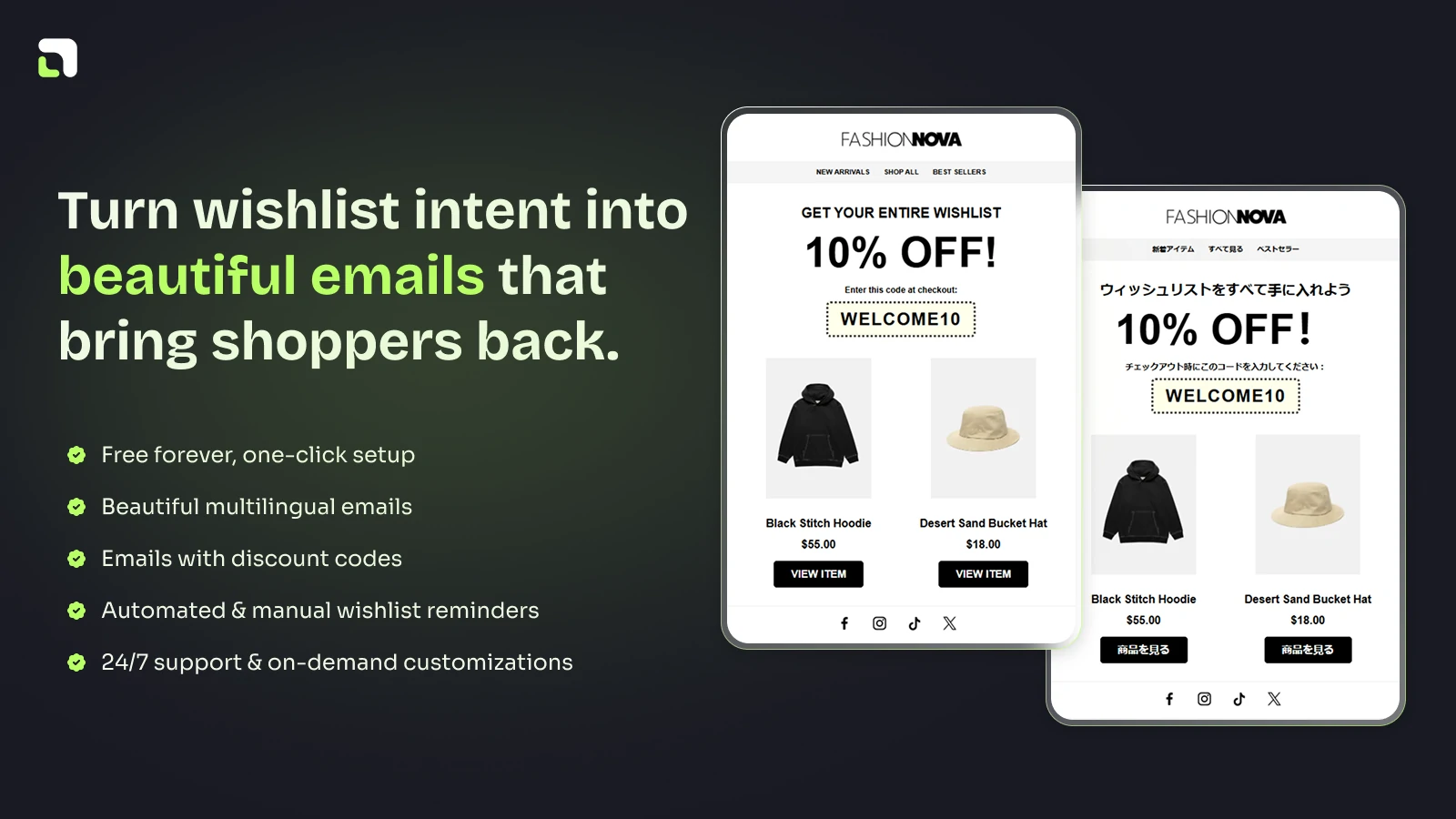
True Value: Wishlist Email connects storefront wishlist activity with automated and manual email recovery.
What the app does
Shoppers often like a product before they are ready to buy. They may be waiting for a discount, comparing products, checking stock, shopping for a gift, or browsing on mobile.
True Value: Wishlist Email gives those shoppers a simple way to save products, then helps your store follow up when the timing is better.
You can use the app to:
- Add wishlist buttons, a wishlist popup, or a wishlist page to your storefront
- Capture wishlist intent from logged-in customers and guest shoppers
- Collect email addresses from anonymous shoppers who want to save their wishlist
- Send automated wishlist reminder emails
- Notify shoppers when saved products drop in price, come back in stock, or run low on stock
- Create manual wishlist reminder campaigns for selected customers
- Add discount codes to wishlist emails
- Translate wishlist text and email templates for multilingual stores
- Review wishlist, customer, product, activity, order, and email performance
- Send wishlist events to Shopify Flow, Klaviyo, and Omnisend
Built for email-driven wishlist recovery
True Value: Wishlist Email is not only a save-for-later button. It is designed to connect storefront wishlist activity with follow-up emails.
The main email workflows are:
- Wishlist Reminder: Remind shoppers about products they saved.
- Price Drop Alert: Notify shoppers when a saved product becomes cheaper.
- Back In Stock Alert: Notify shoppers when a saved product is available again.
- Low Stock Alert: Warn shoppers when a saved product may sell out soon.
- Manual send: Send a wishlist reminder campaign to selected customers and wishlist items.
These emails can use built-in templates, multilingual content, sender settings, preview text, and discount blocks.
Storefront setup
The standard setup is simple:
- Install the app from the Shopify App Store.
- Enable TValue: Wishlist Core in the Shopify theme editor.
- Save the theme.
- Verify the wishlist experience on your storefront.
Most stores only need to install the app and enable TValue: Wishlist Core. No theme code editing is required for the standard setup path.
If your theme is fully supported, the app can automatically place wishlist features such as product page buttons, collection buttons, wishlist popup or page, floating button, header button, toast, and contact capture popup.
If your theme needs additional support, TValue detects it after installation. Core wishlist features can still work while a theme preset is prepared for your store.
Who this documentation is for
Use these docs if you want to:
- Install and verify the app
- Understand which wishlist widgets to enable
- Customize the storefront wishlist experience
- Set up automated wishlist emails
- Send manual wishlist campaigns
- Translate wishlist and email content
- Review wishlist reports and analytics
- Connect wishlist events to external marketing tools
Start with Install True Value Wishlist Email.